Zoom with intention.
Start from cursor-driven Auto Zoom or place a zoom yourself. Adjust its focus, strength and timing as your story takes shape.
Turn a screen recording into a story worth watching. Bring the right details into focus, keep the edit simple, and make the result your own.
macOS 15 or later · Local editing · No Clipvera account
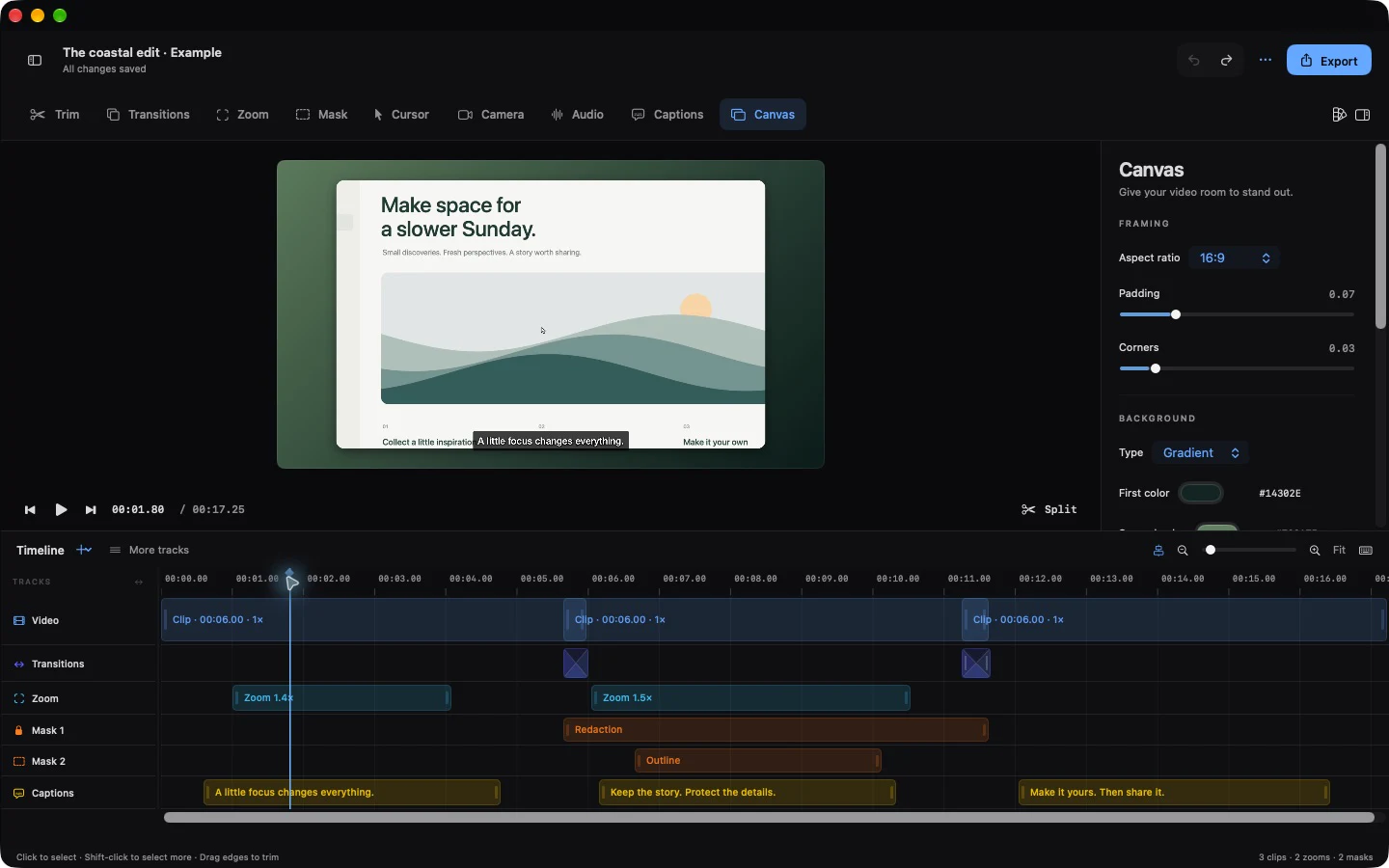
Trim a pause. Guide attention with a smooth zoom. Hide a private detail without losing the moment around it.
Your video stays at the centre. Select a clip or effect to find the controls you need, right where you expect them.
See the finished example ↓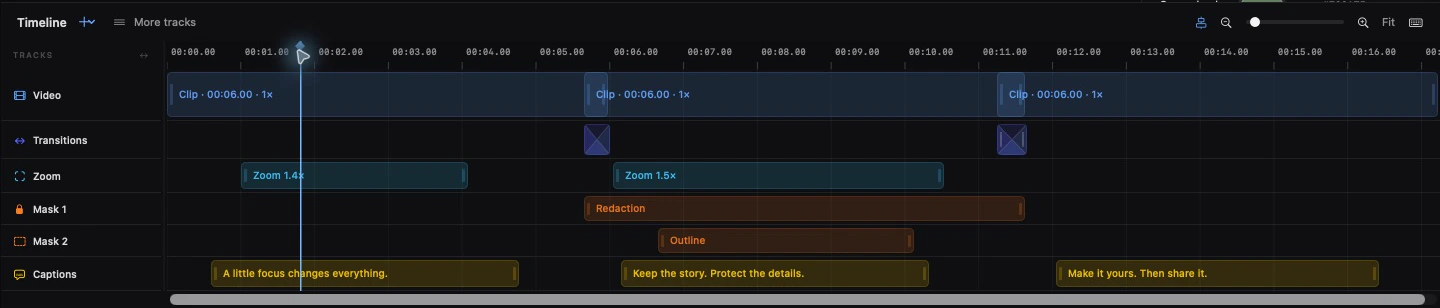
Start from cursor-driven Auto Zoom or place a zoom yourself. Adjust its focus, strength and timing as your story takes shape.
Use several masks and highlights at once. Trim their duration, move them in the preview, and keep control of what viewers see.
Choose a background, refine the spacing and add captions. Save a style you like, then use it on your next project.
See what a zoom, a considered background and a short caption bring to the same moment.
This comparison uses our original illustrated example. The finished frame comes directly from a real Clipvera export.
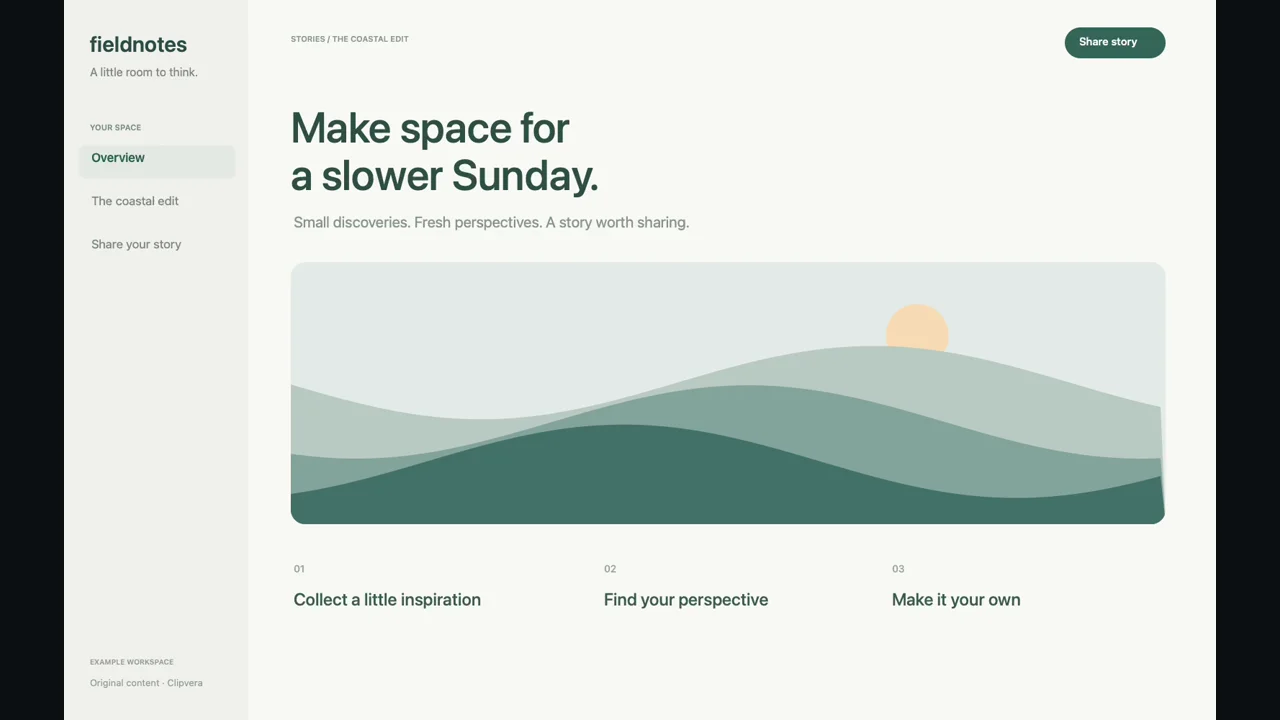
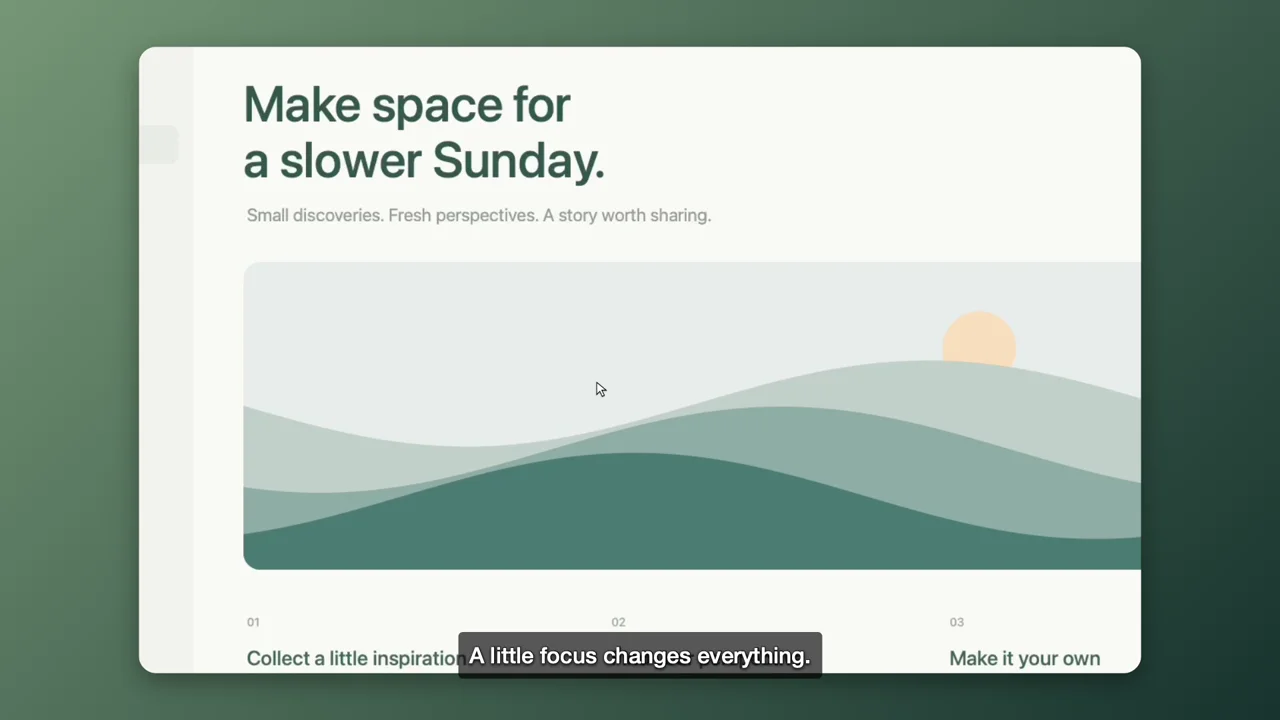
This original example is edited and exported with Clipvera. The same project is included in the app, ready to explore and change.
Recordings and editing stay on your device. Clipvera does not require an account or automatically upload your videos.
Captions use on-device speech recognition in supported languages. You choose where to export and when to share.
Read our privacy policy ↗All Pro options unlock the same features. Choose a subscription or pay once for Lifetime.
Keep it flexible. Renews monthly until cancelled.
Planned: 7-day trial for eligible subscribersA full year of Pro. Renews yearly until cancelled.
Planned: 7-day trial for eligible subscribersOne purchase for Clipvera Pro. No automatic renewal.
Same complete Pro featuresPlanned Norwegian launch prices. Final local prices and eligible offers are shown by Apple before purchase. One introductory offer per eligible customer in the subscription group. Lifetime does not cancel an existing subscription. Purchase details →
Clipvera is being prepared for the Mac App Store. We will add the official download link here when it is available. There is no download or payment form on this website.
No. The editor centres on a preview, a timeline and settings for the item you select. The included example lets you explore clips, zoom, masks, captions and transitions at your own pace.
Clipvera processes recordings and edits locally. Videos leave your Mac only when you choose a sharing or storage destination. A cloud-synchronised folder or a sharing service has its own privacy policy.
Pro purchases are associated with the Apple Account used for App Store purchases. On another compatible Mac, use that account and choose Restore Purchases in Clipvera. An active, verified subscription or Lifetime purchase is required.
Availability depends on Apple's on-device speech recognition and the language resources available on your Mac. Clipvera shows supported choices and does not silently switch to cloud transcription.
Yes. Edits are stored separately from the media in your project. You can change a trim, remove a zoom or adjust a mask later. Keep backups of projects you want to preserve.